
How does a Free2Move relocation work, step by step?
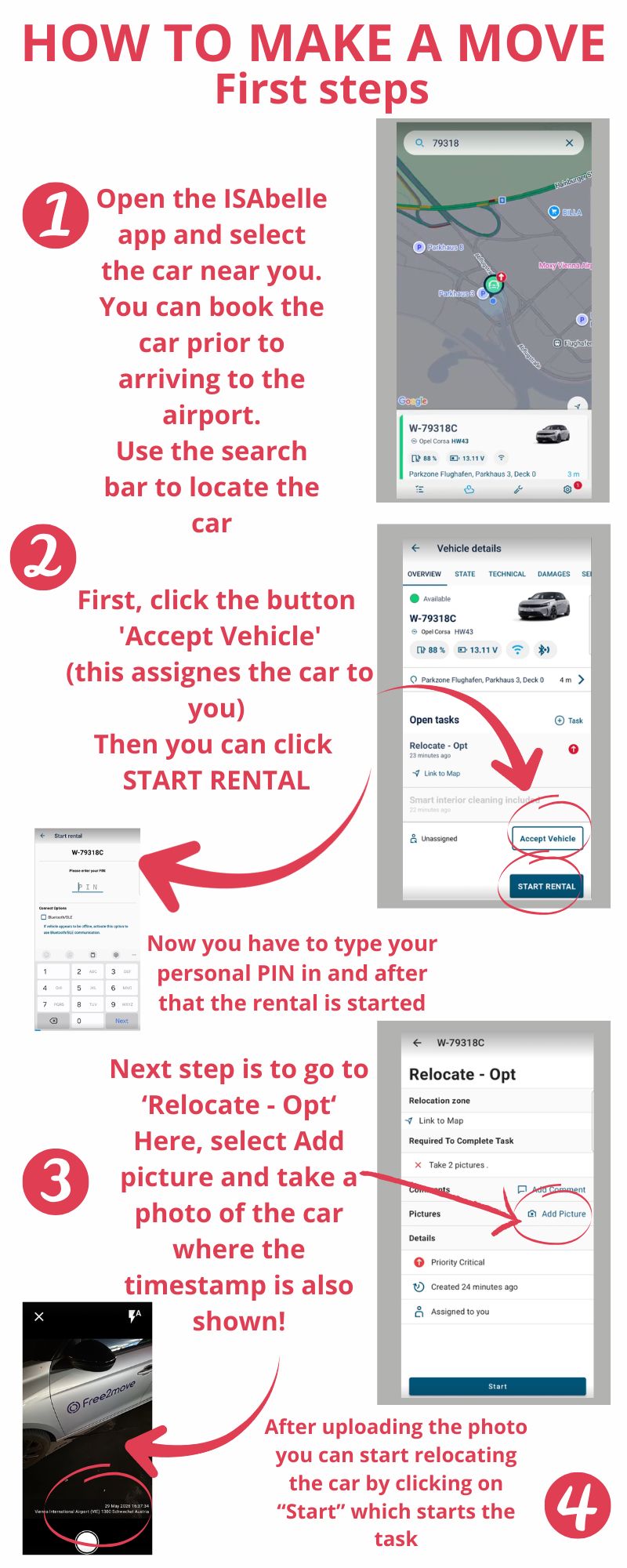
At the car, assign the task, start the rental and tap "START TASK". Take photos, drive into the zone, park legally, take photos again, then tap "COMPLETE TASK" and "End Rental".
Applies in Munich, Vienna, Stuttgart
Steps
- At the car, assign the relocate task to yourself, start the rental, then tap "START TASK".
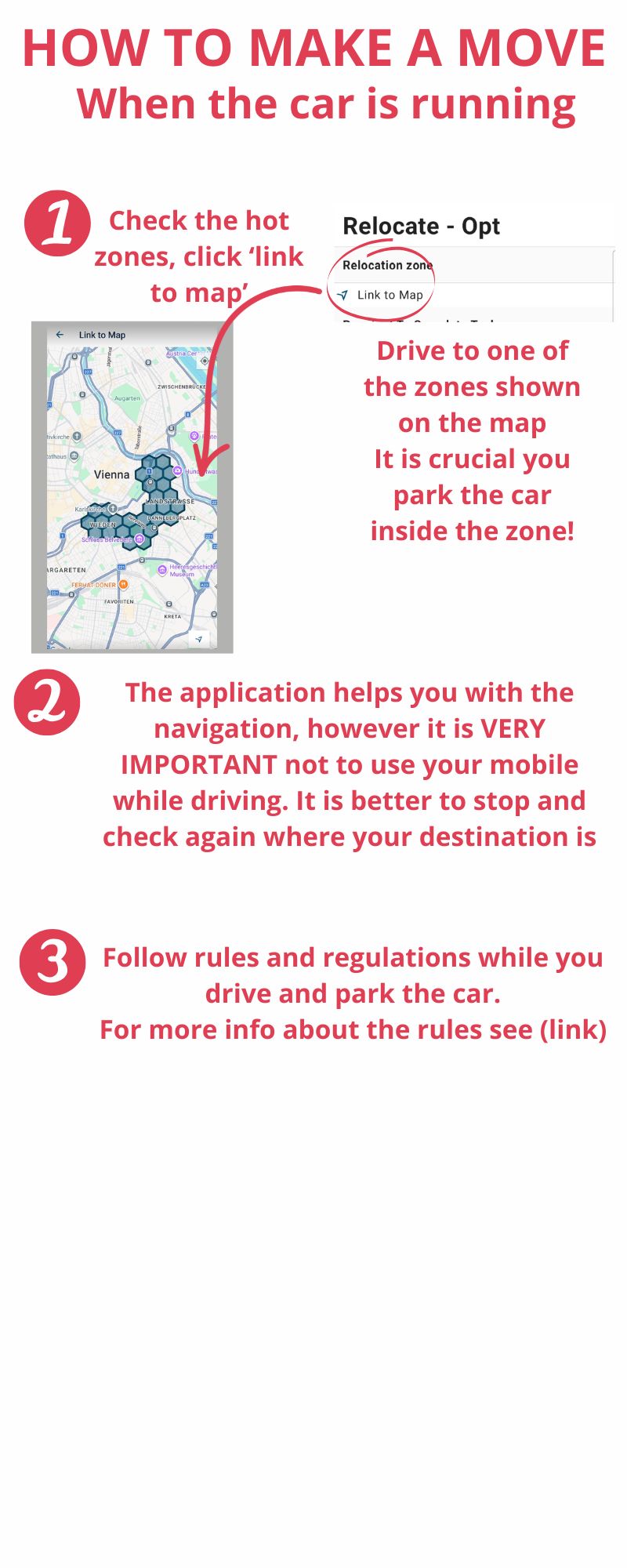
- Tap the link to the map to see where you need to go.
- Take photos before you drive.
- Drive into the destination zone, anywhere inside the highlighted hexagons, and park in a legal spot.
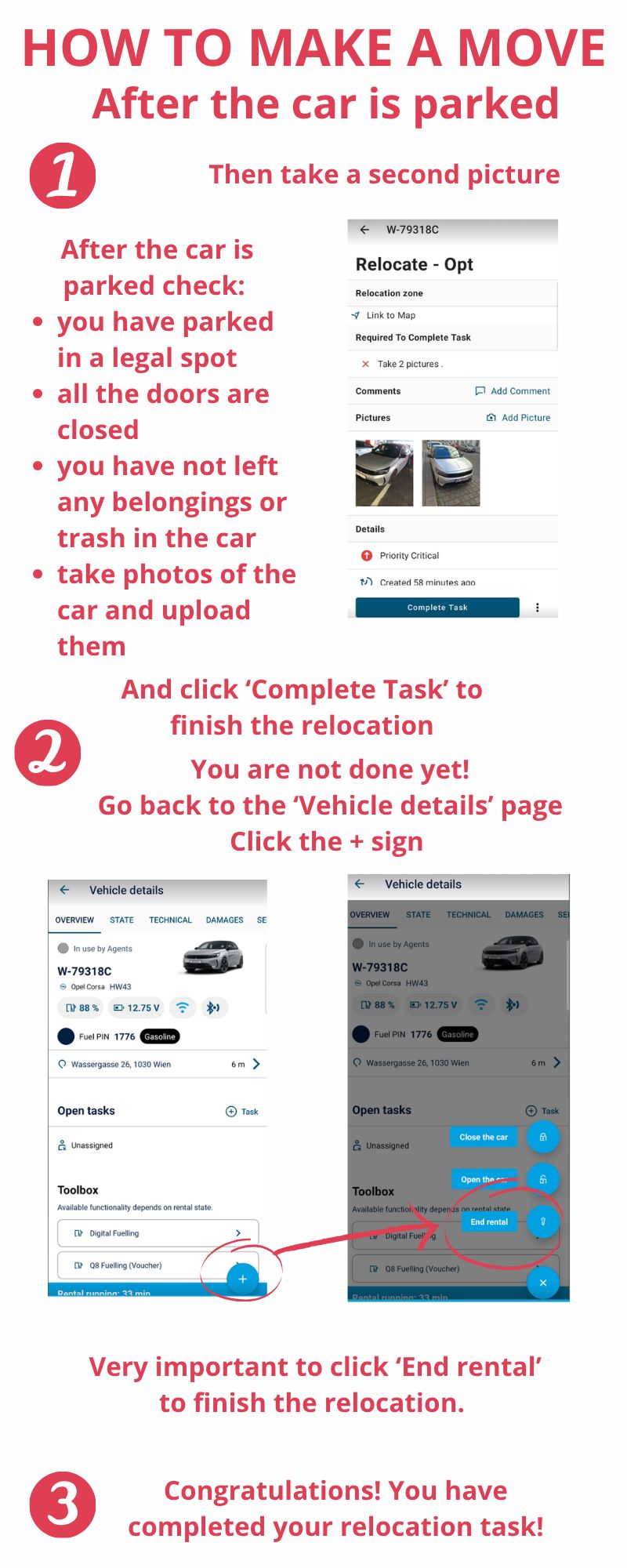
- Once in the zone, take photos again.
- Tap "COMPLETE TASK", then "End Rental".
Notes
- Don't complete the task at the start. Only complete it after you have relocated the car.
- More photos are better. Your GPS is embedded in each photo and is your proof if the system glitches or a damage dispute comes up later.
See it in action
A visual walk-through, from picking up the car to ending the rental.
The full screen recording of the relocation process: