
How does Digital Fueling work?
If you take a car below about 60% fuel, refuel it with Digital Fueling in the ISAbell app. You don't pay at the station, and refuelling is paid on top of the task.
Applies in Munich, Vienna, Stuttgart
Steps
- Take a photo of the fuel level before you refuel.
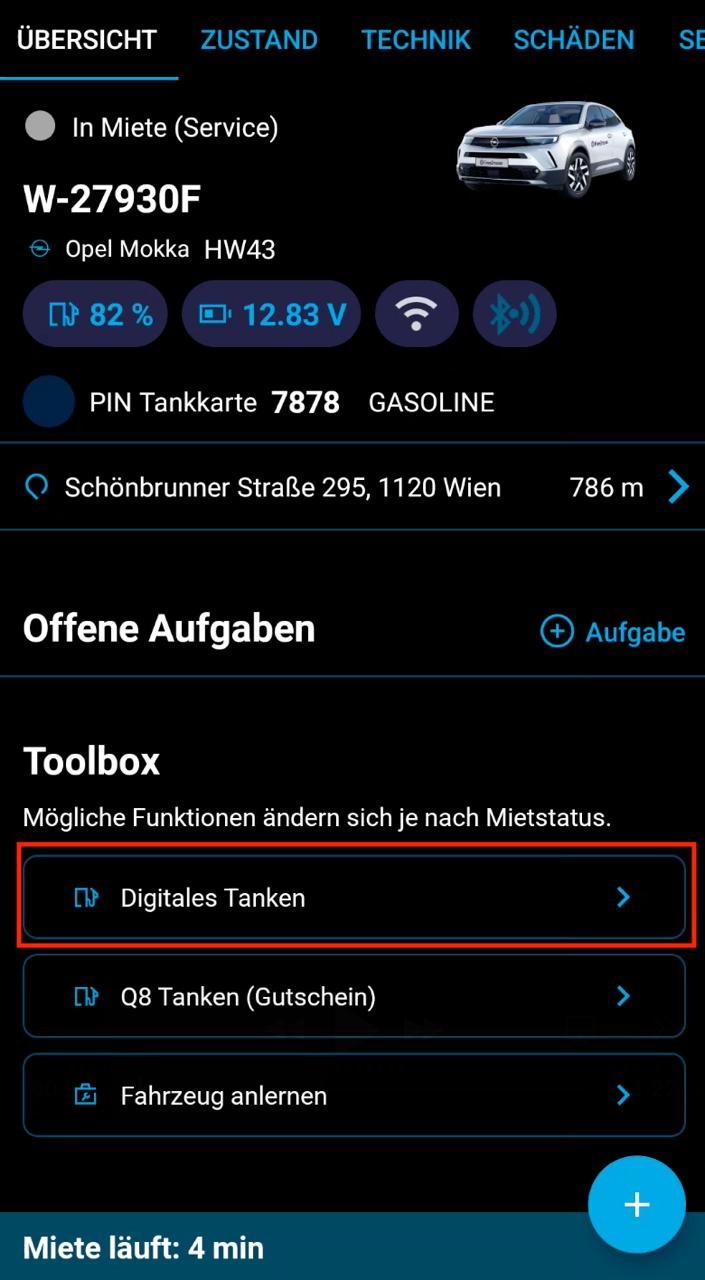
- In the car's Toolbox, tap "Digital Fueling".
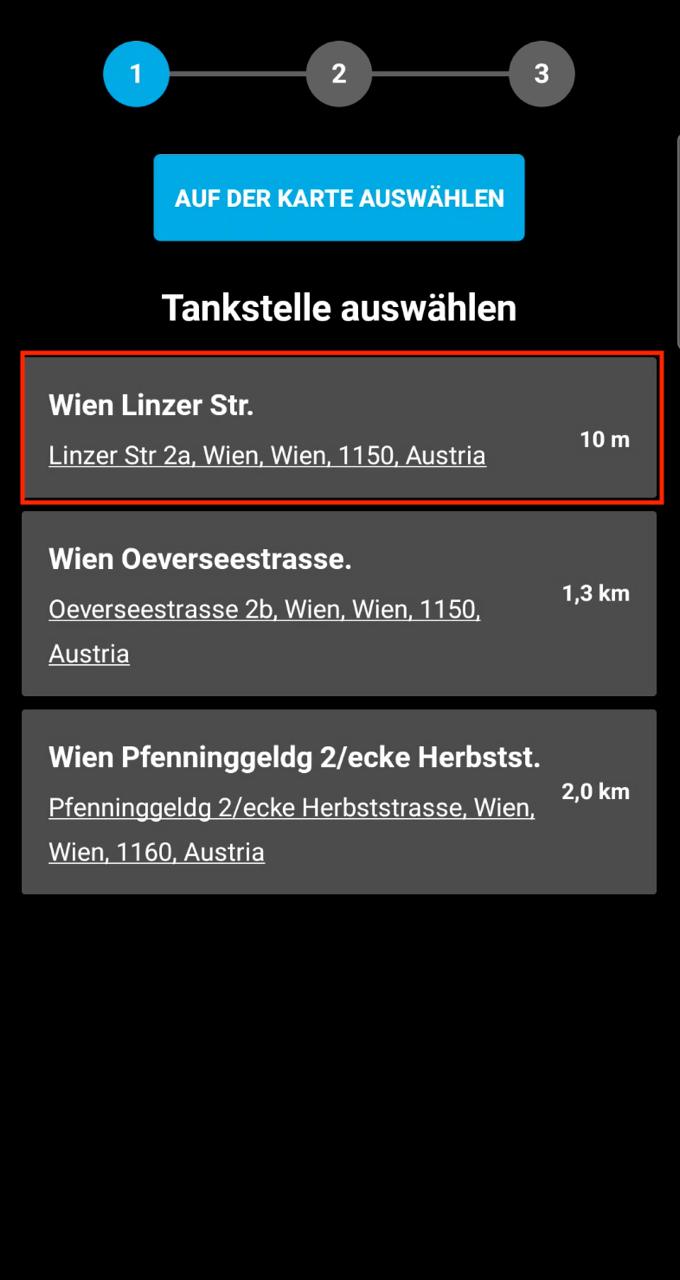
- Select the fueling station you want to go to.
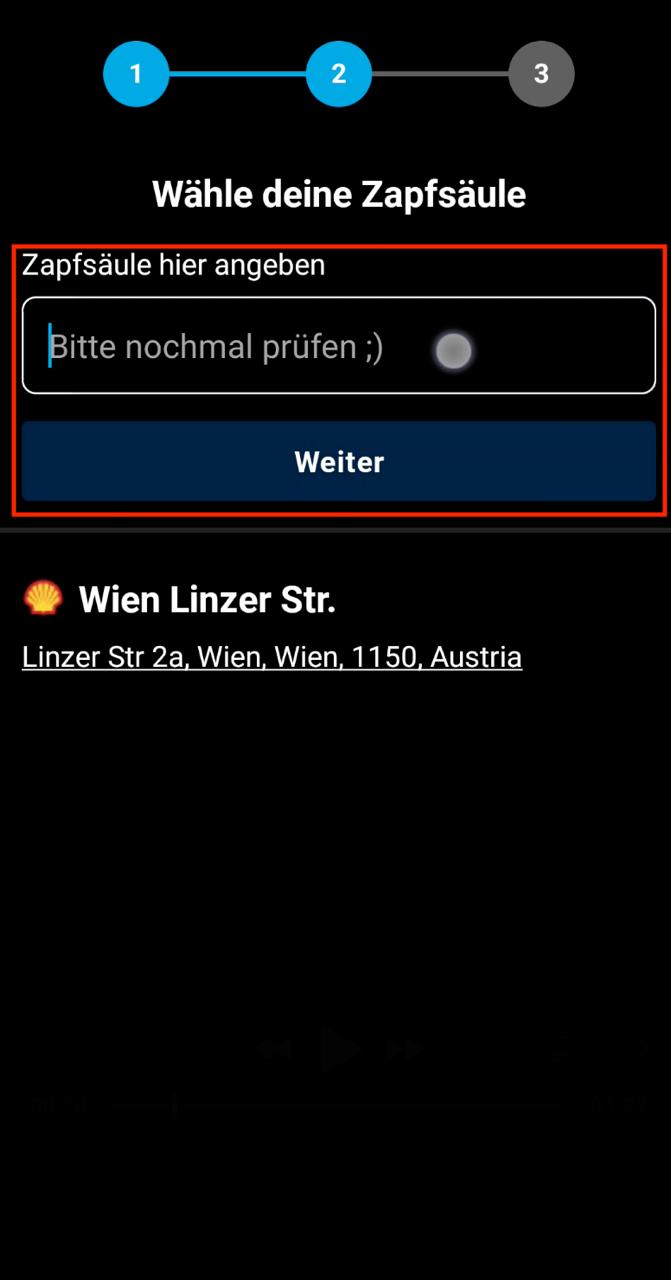
- At the station, enter the pump number.
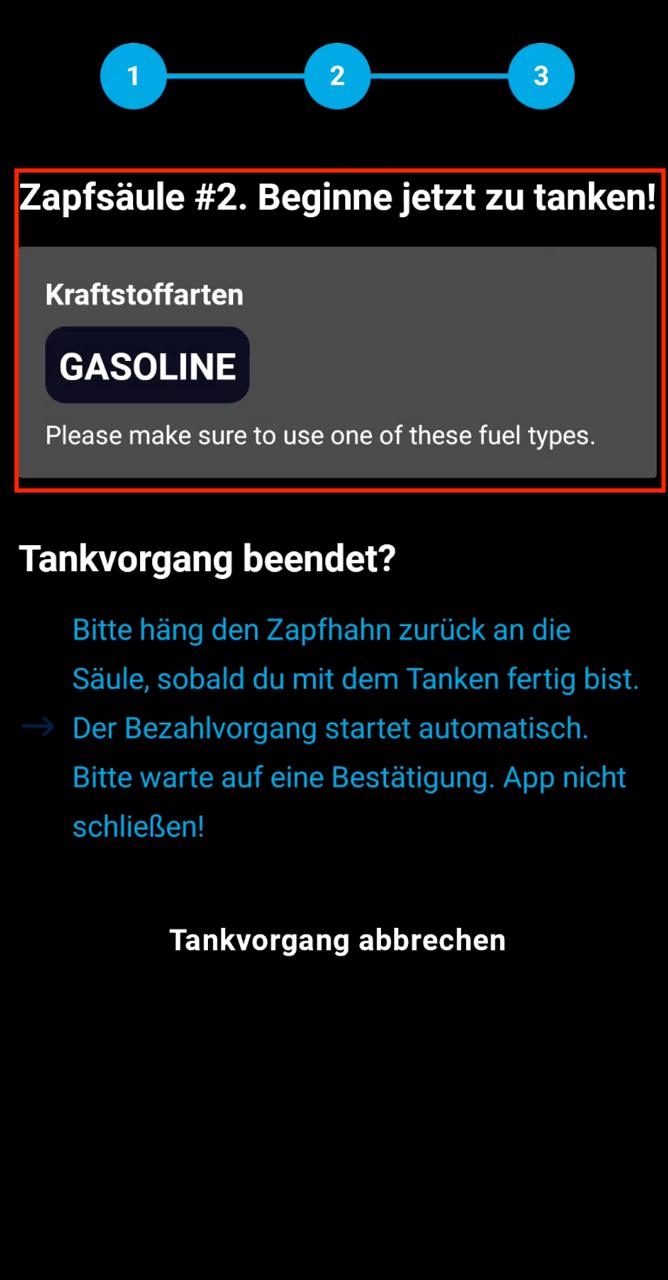
- Wait for the app to confirm. Once it says you can start, take out the pump handle and fuel up with the correct fuel type.
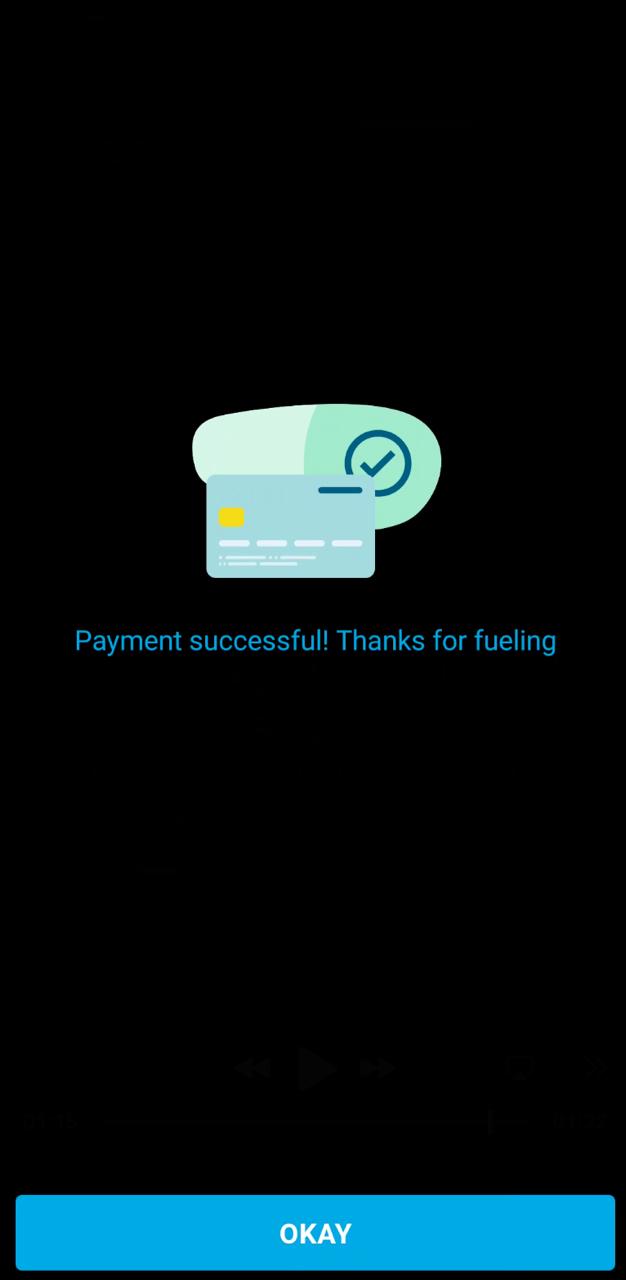
- Hang the pump handle back. Payment starts automatically. Don't close the app until you see "Payment successful".
Notes
- The photo of the fuel level is how the team confirms the refuelling and pays it out to you.